Murmur vs Baby Audio Grainferno: the closest comparison
23 Aug 2026
Usual disclosure first: I make Murmur. Grainferno is also the plugin on this list I have the least interest in talking you out of, because Baby Audio are very good at this and it shows.
Of everything Murmur gets compared to, this is the closest. Both are instruments rather than effects. Both load your own audio and play it from the keyboard. Both carry two independent sample slots you can morph between. And both can push the grain rate up into audio range so the stream of grains stops delivering a pitch and becomes one. On the things granular plugins usually differ about, these two agree.
What Grainferno gives you that Murmur does not
Content, first and most obviously. It ships 378 audio files and 325 presets, around 1.5 GB, so it arrives as something to explore. Murmur ships nine templates that carry settings and no audio at all, on the assumption you already have the sound you want to mangle. If you like opening a plugin and turning a big preset list until something grabs you, that is a real difference in kind and Grainferno is built for it.
It also carries more modulation. Three envelopes, three LFOs and three random generators, with drag and drop routing and cross-modulation between modulators. Murmur has three envelopes, two LFOs, a random and a per-grain random. On morphing the two are close now: seven modes for how two signals combine, against Murmur's six, which now include a resonator and an envelope-follower mode. The effects run to delay, reverb, analog-style modulation and multimode saturation in a re-orderable chain.
And it runs in more places. Grainferno is VST, VST3, AU and AAX with a standalone, on macOS 10.11 and up. Murmur is VST3, AU and standalone, macOS 11 and up. No Pro Tools, no VST2. If you are in Pro Tools this is settled already.
What Murmur does that Grainferno does not
Everything downstream of slicing. Murmur analyses each sample you load and marks the hits it finds, and that one set of boundaries then does three separate jobs.
One sample, eight keys
Press a key. That slice is what sounds
That is the part with no counterpart on the other side. A sample stops being one sound you scrub through and becomes eight you can play, or sixteen, or as many as you let the detector keep: the SLICES dial sets how fussy it is, low keeping only the strongest onsets and high keeping everything, with a ceiling of 256 boundaries. A musical GRID division will lay them out instead if the audio gives detection nothing to find.
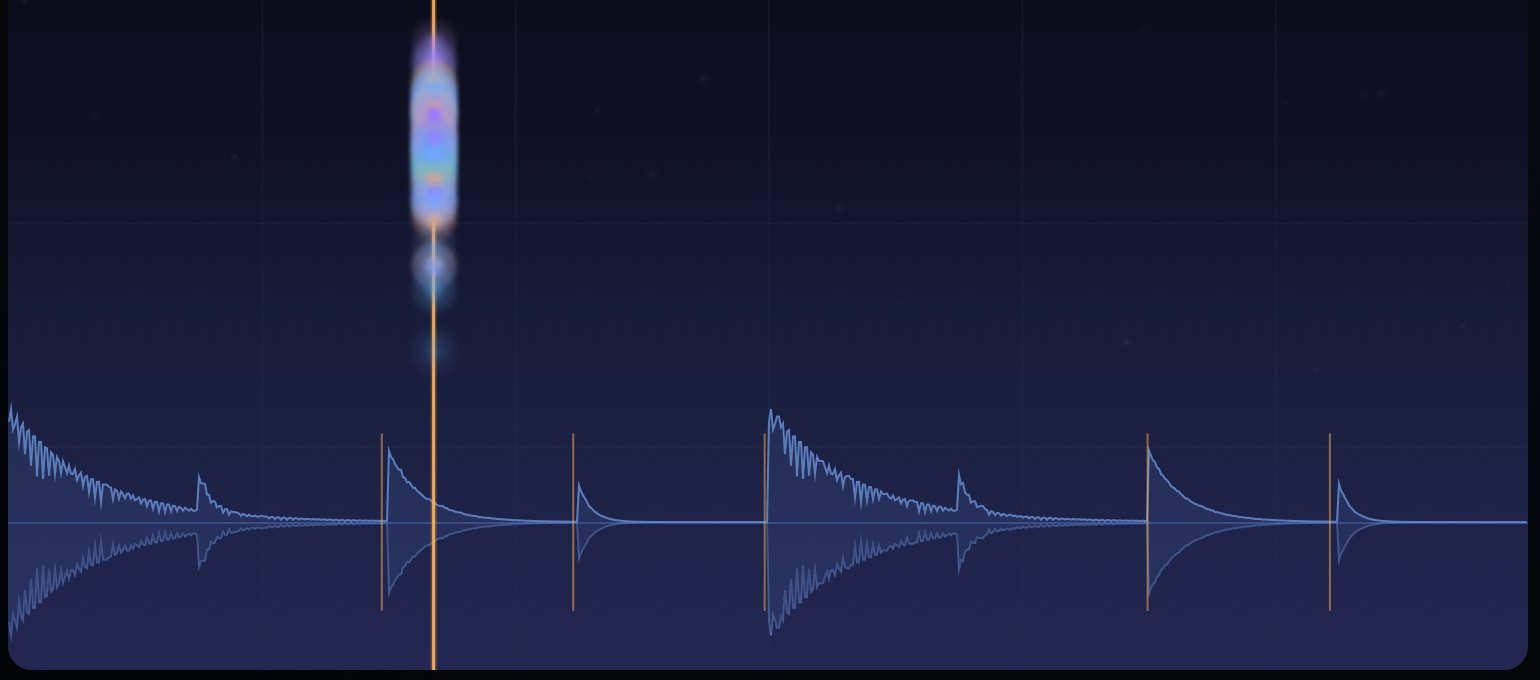
In SLICE mode one key plays one slice, so a break becomes a kit you can rewrite by playing. MAGNET drags scattered grains onto real transients, so you can turn JITTER up until a loop falls apart and still have it land in time. And WALK steps the read point through those slices in time with the host, with each step able to point at a different slice, be switched off so the groove changes shape, or carry its own offset, level, pitch and seeded probability, up to sixteen steps.
I could not find slicing or step sequencing in Grainferno's documentation, which is not the same as saying it has none, so check if that is the part you care about. What I can say is that Murmur is organised around it: the boundaries are editable by hand, they can come from transient detection or a musical grid, and three separate features read from them.
The other one is price and the free tier. Murmur's free version is the whole grain engine with no expiry and no countdown, so the comparison is one you can run yourself for nothing.

Side by side
| Grainferno | Murmur | |
|---|---|---|
| Type | Granular instrument | Granular instrument |
| Two sample slots, morphable | Yes, seven morph modes | Yes, six morph modes, with key matching |
| Grains at audio rate | Yes | Yes, the KEY grain clock |
| Sounds in the box | 378 files, 325 presets, about 1.5 GB | Nine templates, settings only, no audio |
| Modulation | 3 envelopes, 3 LFOs, 3 randoms | 3 envelopes, 2 LFOs, random and per-grain random |
| Slices playable per key | Not in its documentation | Yes, SLICE mode |
| Step sequencer over slices | Not in its documentation | Yes, WALK |
| Formats | VST, VST3, AU, AAX, standalone | VST3, AU, standalone |
| Free version | Trial | Yes, the whole grain engine, no expiry |
| Price | $129, launched at $79 | $34.99, one off |
Grainferno figures come from Baby Audio's own product page and its March 2026 launch coverage, checked on 19 August 2026. Introductory pricing by definition does not last, so check the current number rather than this table.
The actual difference
Strip out the feature counting and these two disagree about one thing: where the sound comes from. Grainferno arrives with a library and a preset list, and its centre of gravity is exploring material somebody else curated until you find something. Murmur arrives empty and assumes the interesting audio is already on your drive, in your field recordings, or in the take you just tracked.
So: if you want a granular synth that gives you sounds, buy Grainferno. More content, more modulation, more morph modes, more formats, and a company with a real design record behind it. If you want a granular instrument for chopping and playing your own recordings, and you would use slices under the keys and a sequencer walking them, Murmur is built for that and is a good deal cheaper.
Both have a way to try before paying, which makes this one of the easier decisions to settle without taking my word for anything.
Also worth reading: Quanta 2 is the other true instrument comparison, and Portal is an effect rather than an instrument, which trips people up.
Sources: Baby Audio's Grainferno page and Bedroom Producers Blog's launch write-up.