Murmur vs Output Portal: an instrument and an effect
22 Aug 2026
I make one of these, so read this with that in mind. I have tried to write the version I would have wanted before buying either, which means being straight about the thing most comparisons of these two skip: Portal and Murmur are not really competitors. They are both granular, and they do different jobs in a session.
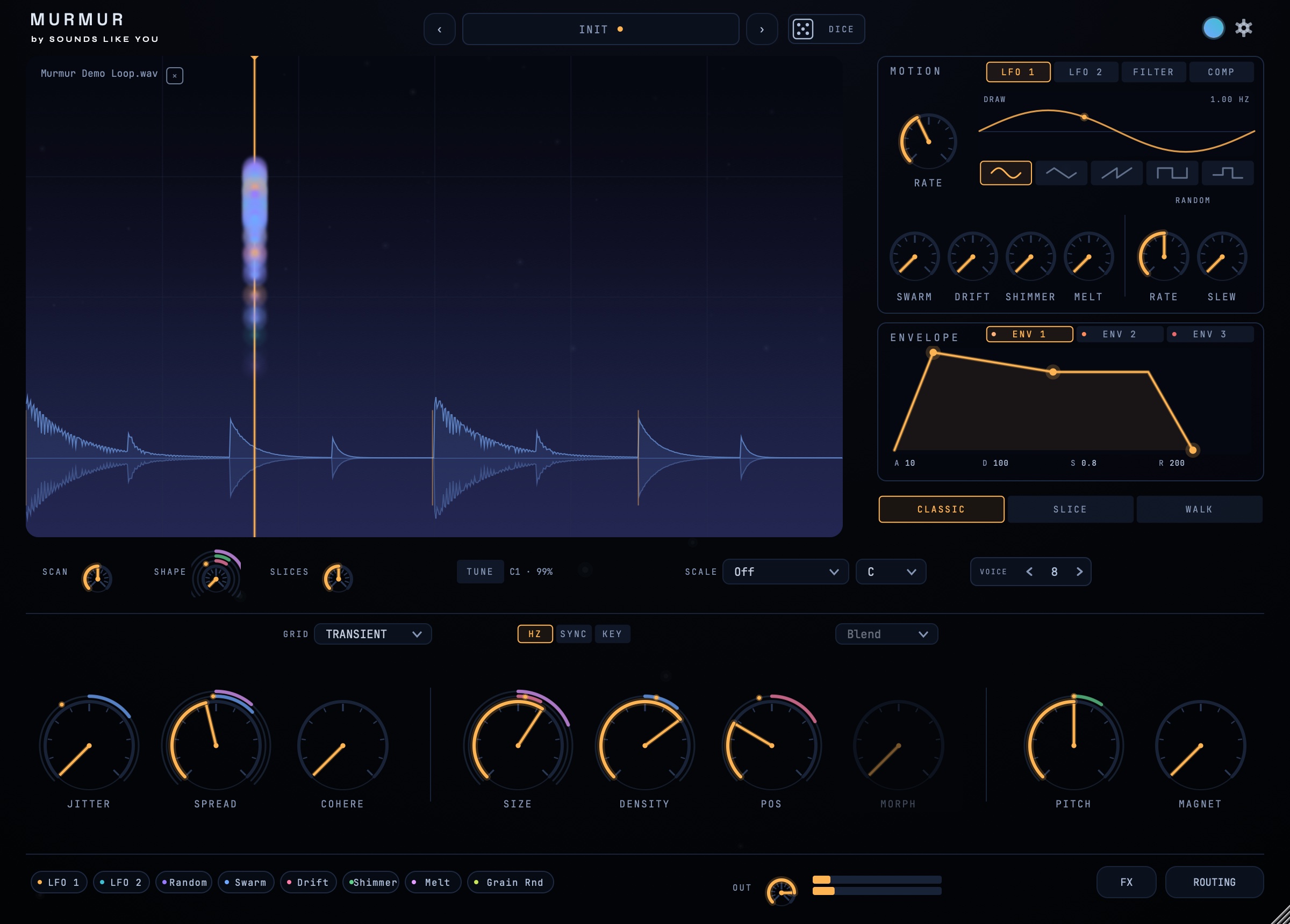
Portal is an insert effect. It sits on a track and granulates whatever is already playing through it, so the source is your drum bus, your guitar, another synth. Murmur is an instrument. You give it a sample, it appears on an instrument track, and you play it from the keyboard. Neither of those is the better design. They answer different questions.
Effect or instrument
The same granular idea, wired into your session two different ways
Flip that toggle and the practical difference falls out. Because Portal processes a signal, it is always downstream of a performance that already exists, and it stops having anything to say when the track stops. Because Murmur holds a sample and listens for notes, it can hold one instant open forever whether or not anything else is playing, and pitch is something you play rather than something you dial.
What each one is good at
Reach for Portal when there is already a part you like and you want it smeared, stuttered, reversed or thrown into a cloud, and you want that to follow the arrangement automatically. It is genuinely fast at this, the circular visualiser makes the parameters legible, and 250 presets means the first useful sound is a few clicks away. If your workflow is "the loop is good, make it strange", that is Portal's home ground and it is very good there.
Reach for Murmur when the sample is raw material rather than a finished part, and you want to write with it: chords, a bass line, a pad you hold for eight bars, a kit of slices played from the keys. The whole point is that the recording stops being a performance and becomes an instrument you perform.
Side by side
| Output Portal | Murmur | |
|---|---|---|
| What it is | Audio effect on a track | Instrument you play from MIDI |
| Source material | Whatever is on the track | A sample you load |
| Plays chords from the keyboard | No, it processes what arrives | Yes, up to 16 voices |
| Formats | VST, VST3, AU, AAX | VST3, AU, standalone |
| Pro Tools (AAX) | Yes | No |
| Presets in the box | 250 plus | Nine templates, settings not audio |
| Free version | No, demo only | Yes, the whole grain engine, no expiry |
| Price | Around £131 / $149, discounted often | $34.99, one off |
Prices and formats checked on 19 August 2026 against Output's own listing and Plugin Boutique. Both move, Portal's especially: it has run at half price more than once, and it is also bundled into Output's subscription, so if you already pay for that you effectively have it. Check before you buy on the strength of a table in a blog post, including this one.
Where Portal is straightforwardly ahead
It runs in Pro Tools and Murmur does not, which settles it on its own for a lot of post and mix work. It has a much larger preset library, and presets that carry sound rather than only settings, so it is faster from install to something usable. It is a mature product with years of updates behind it. And processing a live signal is a thing Murmur simply cannot do: if you want your guitar granulated as you play it, that is not a job an instrument plugin does.
Where Murmur is
Playability, mostly. Slices under the keys, a step sequencer that walks the read point, scale lock, per-grain pitch, and a keyboard that decides pitch rather than a dial. Also the free version, which is the whole grain engine with no expiry, so you can find out whether granular is even the thing you wanted before spending anything. And the price, which is roughly a quarter of Portal's list.
The honest answer
If you are granulating parts that already exist inside a mix, buy Portal. If you want to play granular as an instrument and write with it, Murmur is built for that and costs a lot less. Plenty of people reasonably end up with both, because processing a finished part and playing a sample are two different days at work.
If you are not sure which of those you actually want, the granular explainer is the fastest way to find out, and the free versus full breakdown covers what Murmur's free tier actually includes.
Sources: Output's Portal page and its Plugin Boutique listing.